FUTURA - Reconnect
FUTURA - Reconnecting
Reconnect your phone to Futura
First, you need to connect your phone to Futura.
To do this, enter the personal verification code
found in the Futura connector panel
on your phone.
This code is unique to each user.
Please note: Are you using hotdesking?
Make sure you are logged in with the correct user account on your phone.
The connection is registered to the user who is logged in at that moment.
Step 1: Open the VoIP settings in Futura
In Futura, navigate to 'Werkplek' in the bottom-left corner
and then scroll down.
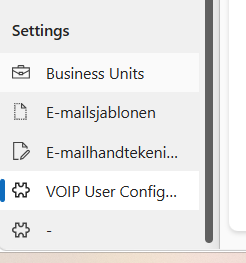
Click on 'VOIP User configurations' in the bottom-left corner.
-
You can remove the existing connection by selecting the checkbox next to the connection
and clicking "Verwijderen" (Delete) above it. -
Close the window and press F5 (refresh) in Futura.
You can now continue with the steps below:
Step 2: Find your personal verification code
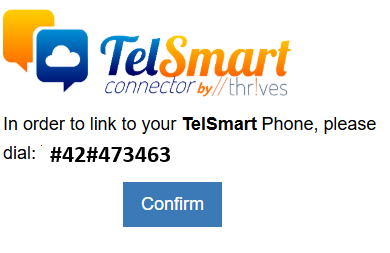
You will now see a page similar to the image below.

On the right-hand side, you will find your personal TelSmart verification code.
Step 3: Connect your phone
Enter this verification code on your phone
and then dial the entered code to confirm the connection.
Step 4: Confirmation
After dialling the code, you will hear
a voice confirmation on your phone once the verification has been completed successfully.
Your phone is now connected to Futura!